Introduction
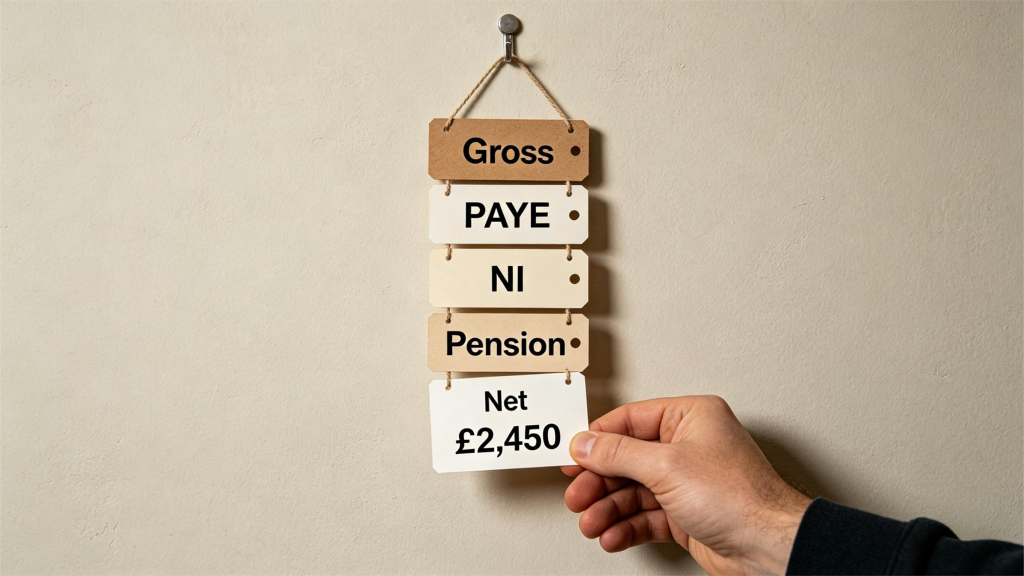
For many employees, the monthly payslip is a source of mild confusion. You see your agreed salary, then a series of mysterious deductions: PAYE, National Insurance, student loans, pension contributions. The final take-home pay often feels significantly lower than expected. Understanding every line on your payslip is not just about curiosity – it helps you check that you are being taxed correctly, that your employer is making the right pension contributions, and that you are not overpaying on student loans. This guide decodes a typical UK payslip, line by line.
Based on rules as of August 2025. Always verify current rates with official sources.
The Basic Structure of a UK Payslip
By law, your employer must provide an itemised payslip showing gross pay, deductions, and net pay. The layout varies by employer, but the information is standardised. Most payslips include three sections: earnings (your pay before deductions), deductions (what is taken off), and year-to-date totals (cumulative figures since April 6th, the start of the tax year).
Your payslip might be paper or digital. Digital payslips are increasingly common and often accessible through a payroll portal. Keep your payslips for at least 22 months (in case HMRC queries your tax) or longer if you need them for mortgage applications or benefit claims.
Understanding Gross Pay
Gross pay is your total earnings before any deductions. It includes:
- Basic pay – your contracted salary divided by the number of pay periods in the year (typically 12 for monthly pay, 52 for weekly pay).
- Overtime – extra hours at your contracted overtime rate.
- Commission – sales-based earnings.
- Bonuses – Christmas bonuses, performance bonuses, or profit-sharing.
- Statutory payments – Statutory Sick Pay (SSP), Statutory Maternity Pay (SMP), or Statutory Paternity Pay (SPP).
If you are paid hourly, your gross pay is hours worked multiplied by your hourly rate. If you are salaried, it is your annual salary divided by the number of pay periods.
Income Tax (PAYE)
PAYE stands for Pay As You Earn. It is HMRC’s system for collecting Income Tax directly from your wages. The amount deducted depends on your tax code and how much you have earned so far in the tax year (which runs from April 6th to April 5th).
Your tax code appears on your payslip (e.g., 1257L). The number (multiplied by 10) tells you how much tax-free income you are entitled to in that tax year. For example, 1257L means £12,570 tax-free. The letter (L, M, N, T, K, etc.) indicates your specific situation. If your tax code is wrong, you might pay too much or too little tax.
How PAYE works in practice: Each month, your employer calculates how much of your tax-free allowance remains, then taxes the rest at the basic rate (20%), higher rate (40%), or additional rate (45% – figures for illustration, check current rates). Because the allowance is spread across the year, your monthly PAYE deduction might vary if your pay fluctuates.
Check your tax code annually. If you think it is wrong, contact HMRC directly – do not rely on your employer to fix it.
National Insurance Contributions (NICs)
National Insurance is technically a separate tax, though it is collected alongside Income Tax. Your payslip shows your NIC deduction for the pay period. Unlike Income Tax, NICs are calculated per pay period, not cumulatively across the year.
Main categories:
- Class 1 (Employee) – deducted automatically from your pay.
- Class 1 (Employer) – paid by your employer (you will not see this on your payslip, but it is a cost to them).
- Class 2 and Class 4 – for self-employed people (not on employee payslips).
The standard employee NIC rate applies to earnings above the Primary Threshold (for illustration, around £12,570 per year) up to the Upper Earnings Limit (for illustration, around £50,270). Earnings above that attract a lower rate.
NICs count toward your entitlement to the State Pension, contribution-based Jobseeker’s Allowance, and other benefits. You typically need 35 qualifying years of NICs to receive the full State Pension.
Pension Contributions
If you are enrolled in a workplace pension (most employees are, under automatic enrolment), your payslip shows your contribution and often your employer’s contribution.
Minimum automatic enrolment contributions (for illustration, as of 2025):
- Total minimum: 8% of qualifying earnings
- Employee pays at least 5% (including tax relief)
- Employer pays at least 3%
Your employee contribution is deducted from your gross pay before Income Tax is calculated. This means you receive tax relief automatically. Higher-rate taxpayers receive additional relief through their Self Assessment tax return.
Your payslip might show “Auto Enrolment” or a specific pension scheme name (e.g., “NEST”, “People’s Pension”, or your employer’s scheme). Check that the deduction percentage matches what you agreed to. Some employers let you contribute more than the minimum (additional voluntary contributions).
Student Loan Repayments
If you have a student loan (Plan 2, Plan 5, or Plan 1 – see article 10 for details), your employer deducts repayments once your earnings exceed the relevant repayment threshold. The deduction is calculated per pay period, not annually.
Your payslip might show “Student Loan” followed by a plan identifier (e.g., “Plan 2”). If you have a Postgraduate Loan, that might appear separately.
Important: Student loan repayments are not a tax. If your income drops below the threshold in a future month, repayments stop automatically. You never need to contact HMRC to pause them.
Other Common Deductions
Depending on your employer and circumstances, you might see:
- Apprenticeship levy – deducted if your employer uses the apprenticeship scheme (employer cost, not your deduction).
- Charitable donations (Payroll Giving) – donations made directly from your gross pay, giving immediate tax relief.
- Trade union subscriptions – deducted if you are a union member and your employer collects fees.
- Uniform or professional subscription repayments – if your employer buys something on your behalf and deducts the cost.
- Attachment of earnings – court-ordered deductions (e.g., council tax arrears, child maintenance).
Net Pay: What Actually Lands in Your Account
Net pay is the final figure – your gross pay minus all deductions. This is the amount that will be paid into your bank account on payday. If this figure seems lower than expected, work backwards through each deduction to identify the cause.
Always compare your net pay to your budget (see article 1). If your budget assumed higher take-home pay, you might need to adjust spending expectations or investigate whether a deduction is incorrect.
Key Takeaways
- Gross pay minus deductions equals net pay – the number that matters for your budget.
- Your tax code determines Income Tax – check it annually with HMRC.
- National Insurance funds state benefits – check your record online via your Personal Tax Account.
- Pension contributions receive tax relief – you are effectively saving pre-tax money.
- Student loan deductions are automatic – they stop if your income falls below the threshold.
This article is for general information and educational purposes only. It does not constitute financial advice. Tax rules, allowances, and product terms may change. Always check with HMRC or an FCA-authorised adviser for your personal circumstances.
5: Direct Debit vs Standing Order: A Complete Guide
Category: Money Management > Budgeting & Banking
Introduction
Paying bills automatically is one of the easiest ways to avoid late fees, protect your credit score, and reduce mental load. But UK bank customers have two main automatic payment methods: Direct Debits and standing orders. They look similar – money leaves your account automatically on a regular schedule – but they work very differently. Choosing the wrong one can lead to missed payments, unauthorised amounts, or difficulty cancelling. This guide explains how each method works, when to use which, and how to manage both effectively.
Based on rules as of August 2025. Always verify current rates with official sources.
What Is a Direct Debit?
A Direct Debit is an instruction from you to your bank, authorising a third party (the billing company) to collect varying amounts from your account on a regular schedule. The key feature is variable amounts – the organisation you pay decides how much to take each time, within agreed limits.
How it works:
- You provide the billing company with your bank account number and sort code.
- You sign a Direct Debit mandate (often online or by phone).
- The billing company notifies you in advance of the amount and date (typically 10 working days before collection).
- On the agreed date, the billing company requests the payment from your bank.
- Your bank pays it.
Common uses:
- Utility bills (electricity, gas, water)
- Council tax
- TV licence
- Mobile phone contracts
- Gym memberships
- Insurance premiums (home, car, life)
- Credit card minimum payments
The key protection – Direct Debit Guarantee: If an error occurs (wrong amount, wrong date, or unauthorised collection), your bank must refund you immediately. This is a legally binding guarantee offered by all UK banks. You can dispute a Direct Debit up to 13 months after the payment was taken.
What Is a Standing Order?
A standing order is an instruction from you to your bank to pay a fixed amount to another account on a regular schedule (weekly, monthly, quarterly, or annually). You control the amount, the date, and the recipient. The recipient cannot change anything.
How it works:
- You log into your bank account and set up the standing order yourself.
- You specify: recipient’s account number and sort code, amount, frequency, start date, and end date (or indefinite).
- On each scheduled date, your bank automatically sends the specified amount.
- The payment continues until you cancel it or the end date passes.
Common uses:
- Paying rent to a landlord
- Transferring money to a savings account
- Sending money to family members (e.g., adult child at university)
- Regular charitable donations
- Paying a cleaner or tradesperson with a fixed monthly fee
No guarantee: Standing orders do not have a protection scheme. If you set up a standing order incorrectly (wrong amount, wrong recipient), your bank is not required to refund you. You must check each payment yourself.
Key Differences at a Glance
| Feature | Direct Debit | Standing Order |
|---|---|---|
| Who controls the amount | The billing company | You |
| Fixed or variable amount | Variable | Fixed only |
| Who can change the amount | The billing company (with notice) | Only you |
| Protection if wrong amount taken | Full refund under Direct Debit Guarantee | No protection |
| Who sets it up | You authorise the billing company | You set it up in your bank |
| Cancellation | Through your bank or the billing company | Through your bank only |
| Best for | Bills that vary (utilities) | Fixed, regular payments |
When to Use a Direct Debit
Direct Debits are the right choice when the amount you owe changes each month. Utility bills are the classic example: your electricity usage varies by season, so the exact amount is unpredictable. The billing company calculates what you owe and collects that precise amount.
Direct Debits also offer convenience for fixed amounts because of the protection. Many people pay their council tax by Direct Debit even though the amount is fixed – the guarantee means they can reclaim the money if the council makes a mistake.
Advantages of Direct Debits:
- You never need to remember to pay – the company pulls the money.
- If the company takes too much, the bank refunds you immediately.
- Many companies offer discounts for paying by Direct Debit (e.g., cheaper car insurance or broadband).
Disadvantages:
- You must trust the billing company to take the correct amount.
- Cancelling can be slightly more involved (you may need to contact both the company and your bank).
When to Use a Standing Order
Standing orders work best for payments that are the same amount every time and where the recipient is an individual (not a large company). Paying rent to a private landlord is the most common example. Landlords typically prefer standing orders because the amount is fixed and they do not need to request payment each month.
Advantages of standing orders:
- You are fully in control – the amount never changes without your action.
- Easy to set up and cancel through your banking app.
- No risk of a company taking an unexpected amount.
- Ideal for transfers between your own accounts (e.g., monthly transfer to savings).
Disadvantages:
- No protection if you make a mistake.
- If the amount needs to change (e.g., rent increase), you must manually update the standing order.
- The recipient cannot trigger a payment if you forget to fund the account – the payment simply fails.
Managing Both Effectively
Most people need both payment methods. A healthy system looks like this:
Use Direct Debits for:
- All household bills (council tax, utilities, broadband, insurance)
- Credit card payments (at least the minimum)
- Subscriptions you intend to keep
Use standing orders for:
- Rent to a private landlord
- Regular transfers to savings accounts (pay yourself first)
- Fixed charitable donations
- Payments to family members
Keep a bills account: Many financially organised people maintain a separate current account used exclusively for Direct Debits and standing orders. They calculate their total monthly bills, add a small buffer (e.g., £50), and transfer that amount from their main account each month. This ensures bill payments never fail due to accidentally spending the money elsewhere.
How to Cancel or Change Payments
Cancelling a Direct Debit: You can cancel through your banking app or by contacting your bank. However, you should also notify the billing company – otherwise they might think you have stopped paying and take collection actions (late fees, debt collection). Under the Direct Debit Guarantee, your bank must stop all future payments once you instruct them.
Cancelling a standing order: You simply delete the standing order in your banking app. No need to notify the recipient, though it is polite to do so. The recipient will see that future payments stop.
Changing a Direct Debit amount: You do not change it – the billing company does. If you think the amount is wrong, contact the billing company first. If they do not resolve it, ask your bank to refund the payment under the Direct Debit Guarantee.
Changing a standing order amount: You edit the standing order in your banking app. The recipient will receive the new amount on the next scheduled date.
Key Takeaways
- Direct Debits for variable bills – utilities, council tax, insurance – with full protection.
- Standing orders for fixed payments – rent, savings transfers, family payments – with your full control.
- Direct Debit Guarantee protects you – your bank must refund errors immediately.
- Standing orders have no protection – double-check amounts and recipient details.
- Consider a separate bills account – protect your main spending account from failed payments.
This article is for general information and educational purposes only. It does not constitute financial advice. Tax rules, allowances, and product terms may change. Always check with HMRC or an FCA-authorised adviser for your personal circumstances.